
Change the text color
You can give any text a new color, from a few words to a whole text box.
Use the Font Color menu
Section titled “Use the Font Color menu”- Select the text you want to change. Drag across it, or click in it and press Ctrl+A to select all the text in the box.
- Click the Home tab. In the Font group, click the arrow next to Font Color.
- Click a color.
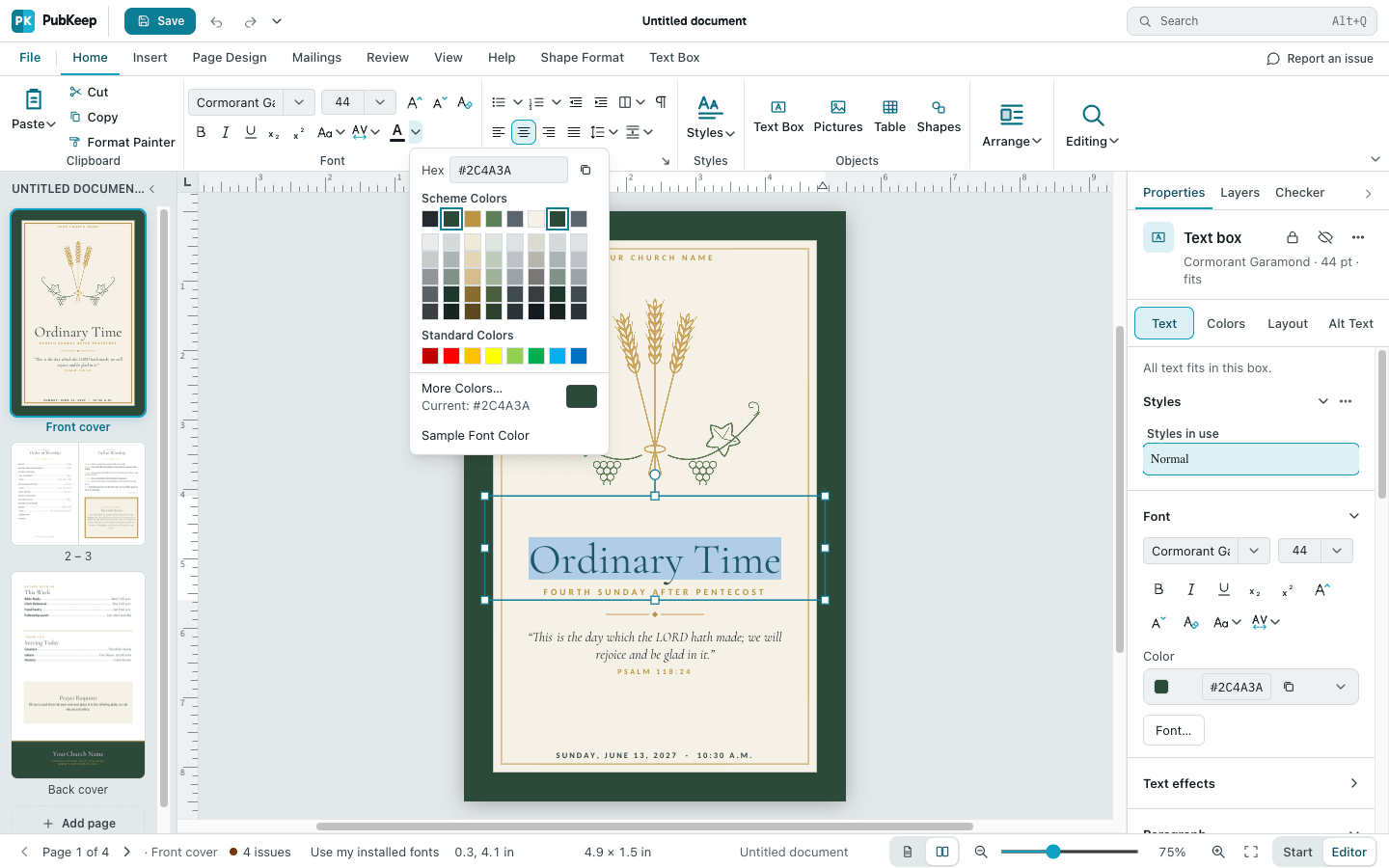
For a color that isn’t in the menu, click More Colors…. To match a color already on the page, click Sample Font Color, then click that color.
Use the Properties pane
Section titled “Use the Properties pane”- Select the text.
- In the Properties pane, click Text.
- Under Font, find Color. Click the arrow at the end of the row, then click a color.
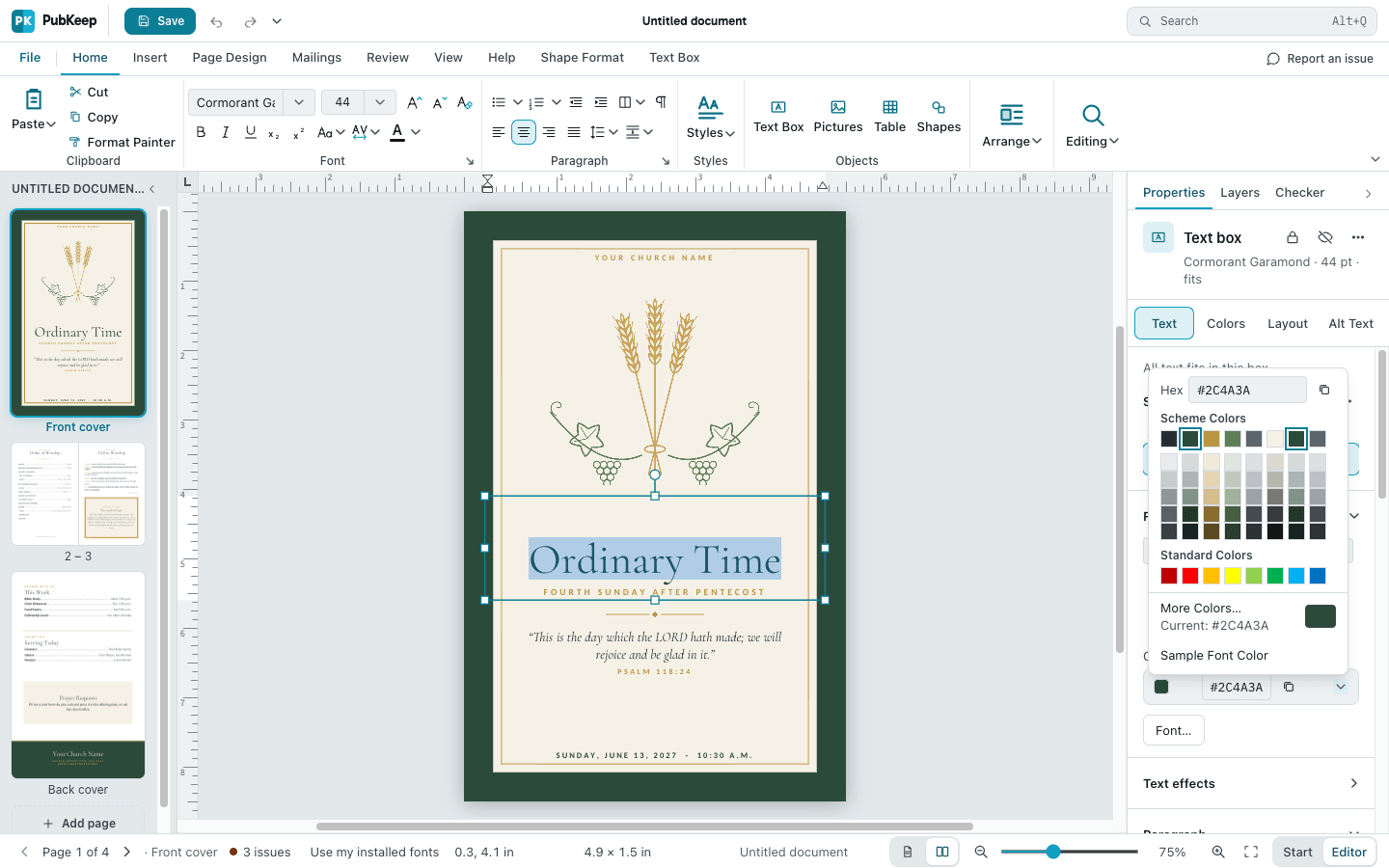
If it still looks wrong
Section titled “If it still looks wrong”I picked the wrong color
Section titled “I picked the wrong color”Press Ctrl+Z (Cmd+Z on a Mac) to undo it.
Font Color is grayed out
Section titled “Font Color is grayed out”No text is selected. Click in the text first.