
How do I report a problem with my file?
You can tell us about a problem without leaving PubKeep. If it’s about one publication, including the file is the fastest way to get it fixed.
Send a report
Section titled “Send a report”- Open the publication that has the problem.
- Click Report an issue at the top right of the window, next to the ribbon tabs. You can also go to Help > Contact Support to ask a question, or Help > Feedback to suggest an idea.
- Describe what you were doing and what went wrong. A sentence or two is plenty, for example which page and what you expected to see.
- Under Type, pick Bug, Support request, Idea, or Question.
- To include your file, check the box that starts “Include this file so we can reproduce the problem”. It’s unchecked unless you check it.
- Click Send report (or Send request or Send feedback).
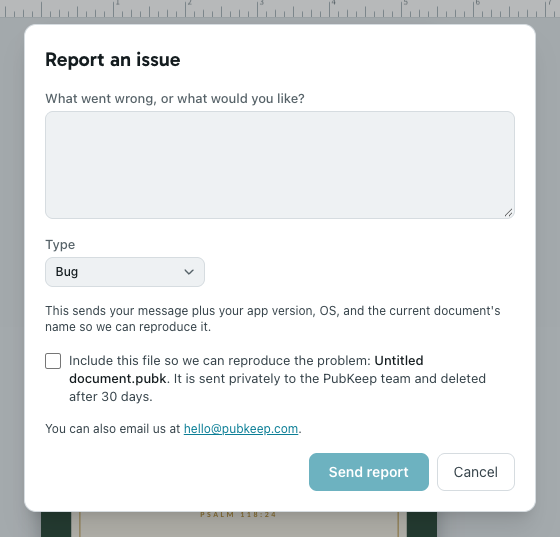
When it’s sent, you’ll see “Thanks, we got it.” Your report includes your message, your PubKeep version, your computer’s operating system, and the name of the open document. For Contact Support, we reply by email.
In the web version, Report an issue isn’t on the ribbon. Use Help > Contact Support instead, while signed in.
What happens to your file
Section titled “What happens to your file”If you check the box, we get the publication you have open. If it came from a .pub file, we get that file. Otherwise we get the document as you have it now. It’s sent privately to the PubKeep team, we use it to reproduce the problem, and it’s deleted after 30 days. If your file can’t be sent, your report still goes through without it.
If it doesn’t send
Section titled “If it doesn’t send”The report won’t go through
Section titled “The report won’t go through”Check your internet connection and try again. If it still won’t send, email us at hello@pubkeep.com and attach the file if you can.
My file is very large
Section titled “My file is very large”Large files take a little longer. You’ll see the upload progress while it sends. Files up to 1 GB can be included.