Goodbye Publisher. Hello PubKeep.
The Microsoft Publisher replacement.
Open and edit your existing .pub files, looking just like they did in Publisher. Create new publications from built-in templates. Same menus and buttons you already know. Windows and Mac.
Founder price $99 ends October 31. Then $149.
Pay once. 30-day refund.

You're in good company.
3,145+ organizations have signed up for PubKeep
1,650+
churches
640+
nonprofits
535+
businesses
160+
schools
200+
joined in the last 24 hours
No credit card. Nothing to cancel.
Every tab is where Publisher had it.
Home, Insert, Page Design, Mailings, Review, and View, in the order you remember. You spent years learning where things live, and PubKeep keeps them there. The menus are available in English, German, Spanish, French, Italian, Dutch, Polish and Portuguese (Brazil).
-
Home
Fonts, paragraphs, styles, and Arrange, plus Cut, Copy, and Format Painter.
-
Insert
Pages, text boxes, pictures, tables, shapes, and headers and footers.
-
Page Design
Page size, margins, guides, color schemes, backgrounds, and master pages.
-
Mailings
Mail merge from your Excel or CSV list, with a preview before you print.
-
Review
Spelling and the language for your text.
-
View
Rulers, guides, two-page spreads, master pages, and zoom.
Made in PubKeep
You can stop worrying
Publisher is gone. Your work is not.
Microsoft removed Publisher from Microsoft 365 on October 1, 2026. That is the app going away, not your files. PubKeep keeps them open and editable, and it's available now.
Your files still open
PubKeep reads your .pub files directly. You do not need Publisher on the machine.
Your layouts still edit
Text boxes, columns, and pages stay live. Move a photo or fix a date, then export again.
Your tools still feel familiar
Master pages, guides, and booklets work the way you expect. The shapes you learned still apply.
You do not have to rebuild twenty years of layouts in Word. You do not have to learn Canva.
A first look
Open a .pub file. Pick up where you left off.
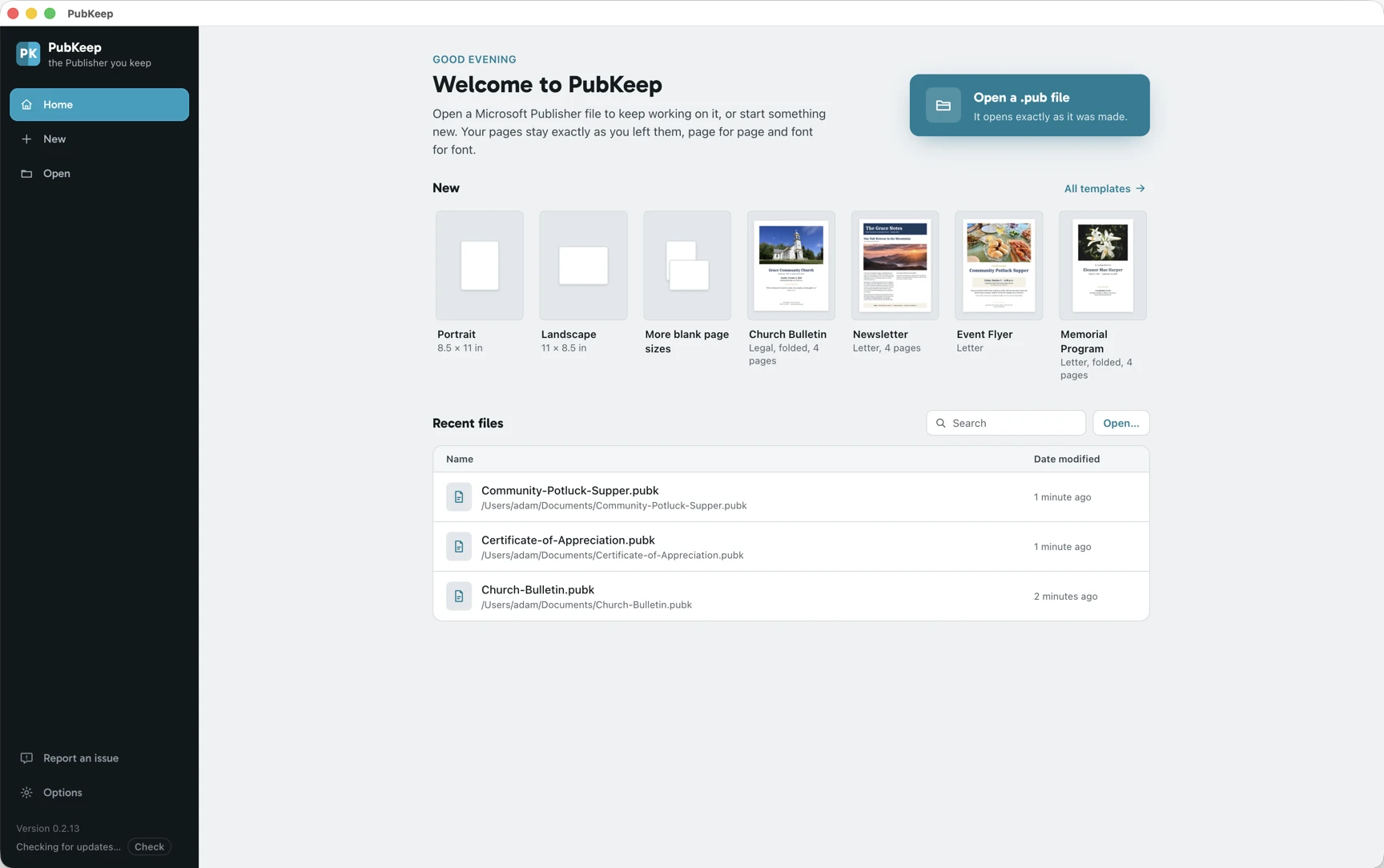
PubKeep opens to your recent work, so a Publisher file is one click away. Open a .pub directly, start from a template, or begin a blank page. No import step, and nothing to convert first.
New to it? Here is how to edit a .pub file without Publisher, step by step.
A look at the PubKeep editor. PubKeep is available now, and you can try it free for 7 days.
Built-in templates
Start something new.
Not every week starts with an old file. Pick one of the built-in templates, change the words and pictures, and print. They are grouped the way Publisher grouped its own, so you know where to look.
-

Church Bulletin Programs and bulletins -

Easter Bulletin Programs and bulletins -

Fall Newsletter Newsletters -
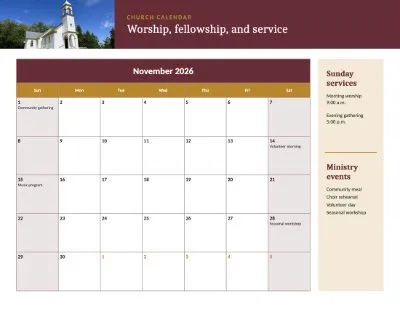
Church Calendar Calendars -

Pancake Breakfast Flyers -
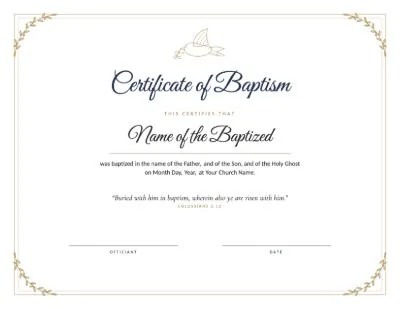
Certificate of Baptism Award certificates -
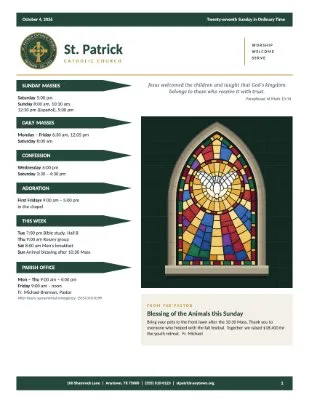
Parish Bulletin Programs and bulletins -

Botanical Thank You Greeting cards -

Vacation Bible School Flyers -
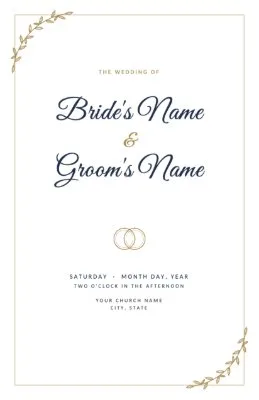
Wedding Program Programs and bulletins -
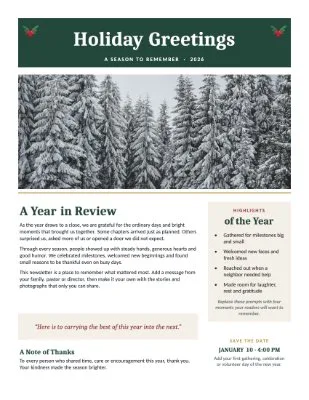
Holiday Newsletter Newsletters -
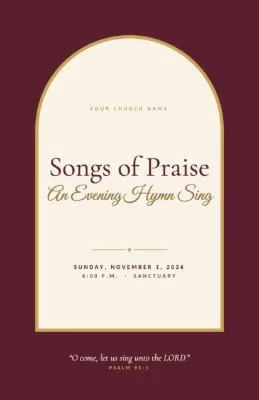
Song Booklet Programs and bulletins
Programs and bulletins, calendars, flyers, award certificates, newsletters, greeting cards, address labels and postcards. Find them under File, then New. We add new templates regularly, and they arrive with each PubKeep update.
Why it feels familiar
No new program to learn.
Canva, Affinity, InDesign, and LibreOffice are all capable apps. Each one asks you to learn new menus and a new way of working. PubKeep keeps the ribbon and menus you know from Publisher, and opens your .pub files the way you built them.
| Feature | PubKeep | Canva | Affinity | InDesign | LibreOffice Draw |
|---|---|---|---|---|---|
| Publisher-style ribbon and menus | Yes, the tabs and menus you know | No | No | No | No |
| Opens .pub files | Yes, directly | No | Yes | No | Yes, as an import |
| Keeps the layout when it opens a .pub | Yes, page for page | Does not open .pub | No, in our test the text reflowed and some was cut off | Does not open .pub | Often not. Fonts and spacing shift, and pieces can go missing |
| Buy once, no subscription | Yes. Pay once and keep it | No. Pro is a monthly or yearly subscription | Free | No. A monthly or yearly subscription | Free |
For more on each app, see our guide to Publisher alternatives.
Help when you need it
A real person answers.
Write to hello@pubkeep.com or use Report an issue in the app, and a real person on the PubKeep team reads it and writes back. When you find a problem, we fix it and send an update.
“I was panicked about losing all of the files I have created during my 30-year career as an educator. … I can completely attest to the authenticity of this product; moreover, the personal interaction I receive from Adam, the founder, is beyond my expectations. PubKeep is an amazing resource that has allowed me to continue using a program that I love!”
“I am a new user of PubKeep, I find it so easy to transition from MS Publisher. It opens documents and makes it editable. Also, when I’ve had questions, the support team has been quick to reply with just the right answers.”
“I am so thankful for finding your program! PubKeep has been amazing! … PubKeep has continually updated to fix any issues that have arisen, and in a timely fashion. If you used MS Publisher in the past, I strongly advise trying out PubKeep. You won’t be sorry!”
What PubKeep does
Everything you created in Publisher, carried forward.
One app for your Publisher files. It opens them, keeps them editable, and exports print-ready PDF, right on the computer you already have.
Opens .pub without Publisher installed
PubKeep reads the Publisher format on its own, right on your machine. You do not need a copy of Publisher, or even Windows.
High fidelity, page for page
PubKeep aims to open your file the way you built it, page for page, not reflowed the way the free importers do. Text stays text, and every box stays movable.
Windows and macOS
Publisher only ran on Windows for 35 years. PubKeep runs on both, so you pick the computer.
Safe to install
PubKeep is code-signed by Saint Systems, a long-time Microsoft partner, so Windows and macOS know it's genuine. On Windows you can get it from the Microsoft Store.
The layout tools you used
Master pages, fold-over booklets, guides, and mail merge from Excel or CSV lists.
Buy it once
One payment, and the app is yours. No subscription, and no bill that shows up every month.
Everything you use in Publisher
See every feature →- Opens .pub files from Publisher 2000 through Microsoft 365
- Master pages, headers, and page numbers
- Fold-over booklets that print in the right order
- Mail merge from Excel or CSV lists
- Avery label sheets, name badges, and postcards
- Linked text boxes and columns
- Print on both sides, or export a PDF
- Starter templates for bulletins, newsletters, and calendars
For organizations and teams
Your office has years of Publisher files. Keep every one of them working.
For a church office, school or nonprofit, it’s years of bulletins, newsletters and flyers, made by several people. PubKeep opens them natively, so your team keeps the templates you already rely on.
Church offices
Weekly bulletins, event flyers, and directories, edited from last week's file.
Schools and classrooms
Newsletters, certificates, labels, and signage, the same templates every year.
Nonprofits
Donor letters, event programs, and brochures, on a budget that does not fit another subscription.
Small businesses
Menus, price lists, forms, and marketing pieces your team keeps up to date.
Buying for 5 or more computers? See volume licenses.
Churches, classrooms, and nonprofits can sign up as an organization and try PubKeep free for 7 days. Sign up as an organization →
Pricing
Buy it once. Try it free for 7 days.
A one-time Founder price of $99, or $159 for two computers. Try it free for 7 days on your own files first, no card needed.
No subscription, ever.
Canva Pro and Adobe InDesign bill you every month or every year. PubKeep is one payment, and the version you buy keeps working.
- Available now on Windows and Mac
- Pay once, no subscription
- 1 year of updates included, then optional updates at $49 a year for Founder license buyers (regularly $79)
- Try it free for 7 days, no card needed
1 computer
Regular price from November 1: $149 $99 one time
Founder license
- One license key for your computer
- Windows or Mac
- Keep the version you have, forever
- 1 year of updates included
2 computers
Regular price from November 1: $239 $159 one time
Save 20%
- One license key for both computers
- Use it at the office and at home
- Save $39 on the second computer
- 1 year of updates included
Need 3? 3 computers for $239, just $80 more
5 or more computers
Regular price from November 1: $595 $395 for 5
or $699 for 10. Save 29%
- One license key for every computer
- For a church office, school, or team
- 1 year of updates included
- Invoice or purchase order? See volume licenses
Introductory pricing through October 31. After that, one computer is $149.
30-day refund, for any reason.
No credit card. Nothing to cancel.
Secure checkout by Lemon Squeezy, a Stripe company. Your card statement will show this charge as LEMSQZY* PUBKEEP. Already testing PubKeep? Use the email you signed up with so your license attaches to your account.
Need more than 25 computers, an invoice, or a purchase order? Email hello@pubkeep.com.
Pay once and keep it. There is no subscription.
Free 7-day trial
Try PubKeep free for 7 days.
Want to see it open your own files before you buy? Tell us where to email you and we'll send a license key and download links right away. Use it free for 7 days. No credit card, and nothing to cancel. It simply ends on its own.
What happens next
- We email your license key and download link right away.
- Install PubKeep on your Mac, or on your Windows PC from the Microsoft Store.
- Open any .pub file and keep editing. Nothing to convert.
Check your email.
Your license key
When PubKeep asks for your license key, paste this in. Your free trial runs through .

We also emailed this to you. If you don't see it, check your spam or junk folder.
We're sending your license key and download links from hello@mail.pubkeep.com. If it's not in your inbox in a few minutes, check spam or the Promotions tab, and add us to your contacts so updates land where you'll see them.
Look for our email from hello@mail.pubkeep.com. If it's not in your inbox, check spam or the Promotions tab, or write to hello@pubkeep.com and we'll resend it.
One quick question so we can help: what kind of organization is this for?
Thanks!
Already have a license key?
To install PubKeep on another computer, paste the license key from your email. On Windows, the easiest way is the Microsoft Store. Use the Windows download below if your computer can't use the Store.
Questions
Common questions
Yes! PubKeep is a desktop app for Windows and Mac, built to replace Publisher. It opens your existing .pub files from Publisher 2000 through Microsoft 365 and keeps them editable, with the ribbon, menus and tools where Publisher had them. You can start new publications from built-in templates, print, and export PDFs. Your work saves as .pubk, PubKeep’s open file format. PubKeep is a one-time purchase with a 7-day free trial, and it isn’t made by or affiliated with Microsoft.
Yes. PubKeep is available in English, German, Spanish, French, Italian, Dutch, Polish and Portuguese (Brazil). It uses your computer’s language automatically. To change it, go to File > Options > Language, pick a display language, and click OK. The menus switch right away.
No. Your .pub files still work just as they are. You don't need to open, re-save, or convert them. PubKeep opens them whenever you need them, next week or years from now.
Yes. You can buy the Founder license today, or try it free for 7 days on your own files first. We keep widening what it opens, and our features page lists what works today and what is still coming.
Yes. Try it free for 7 days on your own files first. There is no charge and no card needed.
Yes. That is what PubKeep does: open your Publisher files and keep them editable. It is available now. Publisher changed over 35 years, so some very old files may need extra work, and coverage widens from there.
Yes. PubKeep runs on Windows and Mac. Publisher only ran on Windows, so this is the first time your .pub files open natively on a Mac.
Yes. On Windows, the easiest way to install PubKeep is from the Microsoft Store. Click Get, then paste your license key when PubKeep opens. On a Mac, or to download the Windows installer, paste your license key in the Already have a license key? box.
LibreOffice Draw and Scribus can import a .pub, but they reflow it. Fonts shift, spacing moves, and you clean up one file at a time. PubKeep aims for high fidelity, page for page, and keeps your file editable without the reflow. It is available now, and you can try it free for 7 days.
No. PubKeep is not Microsoft's app, and it is not affiliated with Microsoft. It opens your Publisher files and covers the layout work you did in Publisher. Its ribbon tabs and menus are laid out where Publisher had them, so it feels familiar, but the app, its code, and its icons are our own.
No. PubKeep opens .pub files directly, so you do not have to convert them first. If you only need PDFs today, the PubKeep Converter can do that now. The desktop app is for people who want to keep editing.
No, it's not a subscription. It's a one-time introductory Founder price of $99, or $159 for two computers. You buy it once and the version you buy runs forever, no monthly bill. Your purchase includes 1 year of updates. After that, PubKeep keeps working, and optional updates are $49 a year for Founder license buyers (regularly $79). Your card statement will show the charge as LEMSQZY* PUBKEEP.
A license covers the number of computers you buy it for, from 1 to 25, and one license key works on all of them. Shared Remote Desktop and terminal servers are licensed per named user, not per computer.
Yes. On the computer you’re leaving, open PubKeep and go to File > Account, then click Deactivate this computer. That frees its spot on your license. Then install PubKeep on the new computer and enter the same license key. If the old computer died or is already gone, email hello@pubkeep.com and we’ll free its spot for you.
No. PubKeep saves to .pubk, an open format that anyone can read. The .pub format is closed and undocumented, so writing it safely is not something we can promise. You can still export a print-ready PDF any time.
PubKeep is a product of Saint Systems, a long-time Microsoft partner. We have built on Microsoft's platform for years. You can reach us at hello@pubkeep.com.
Keep your work
Keep publishing.
Your Publisher files have a future. Get PubKeep today for a one-time price from $99, or try it free for 7 days. No credit card, nothing to cancel.