
How do I save my work? (.pubk files)
PubKeep opens Publisher (.pub) files, and it saves your work as a PubKeep file (.pubk). When you save a file you opened from a .pub, PubKeep makes a new .pubk and leaves your original .pub file untouched.
Save a file you opened from Publisher
Section titled “Save a file you opened from Publisher”- Click File > Save, or press Ctrl+S (on a Mac, Cmd+S).
- The first time, PubKeep asks where to save. It suggests the same name as your .pub, ending in .pubk.
- Pick a folder you’ll remember, then click “Save”.
After that, Ctrl+S saves to the same .pubk file each time. Next time, open the .pubk file to keep working where you left off.
Save a copy under a new name
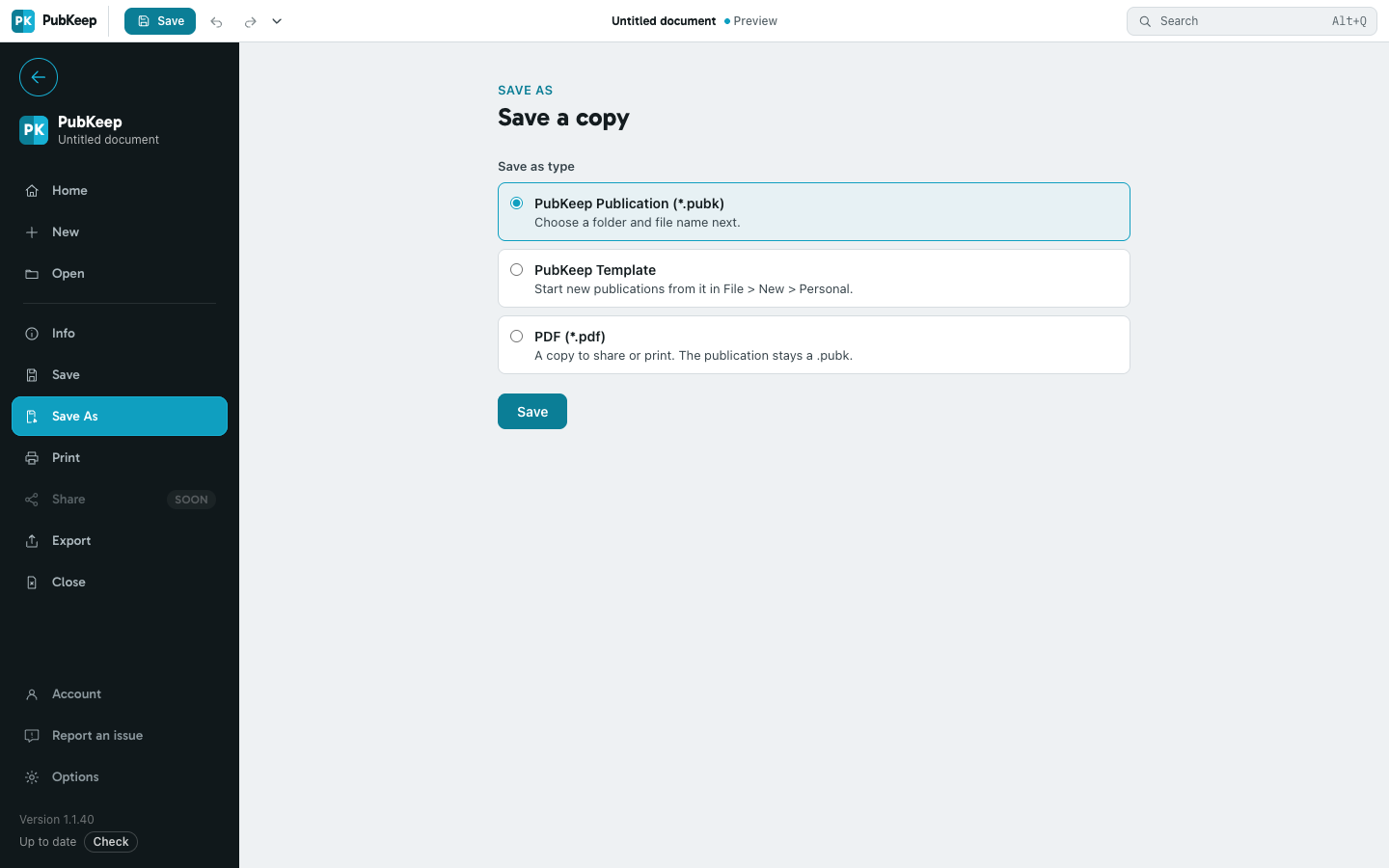
Section titled “Save a copy under a new name”- Click File > Save As, or press Ctrl+Shift+S (on a Mac, Cmd+Shift+S).
- Under Save as type, choose PubKeep Publication (*.pubk).
- Click Save, then pick a folder and a file name.
Share or print it as a PDF
Section titled “Share or print it as a PDF”Most people you send a file to won’t have PubKeep. Send them a PDF instead.
- Click File > Export.
- Under Export to PDF, choose the pages you want.
- Click Export and pick where to save the PDF.
Questions
Section titled “Questions”Can PubKeep save back to a .pub file?
Section titled “Can PubKeep save back to a .pub file?”No. The .pub format is closed and undocumented, so we can’t promise to write it safely. PubKeep saves to .pubk, an open format, and exports PDFs any time.
Is my original .pub file still there?
Section titled “Is my original .pub file still there?”Yes. PubKeep never changes it. A .pubk you saved from a .pub also keeps a copy of that original inside it. See Works offline, and if PubKeep goes away.
Can someone with Publisher open my .pubk?
Section titled “Can someone with Publisher open my .pubk?”No, Publisher can’t open .pubk files. Send them a PDF, or keep your original .pub for them.