
Save your publication as a PDF or picture
A PDF looks the same on any computer, so it’s the easiest way to email a publication, post it online or send it to a print shop.
Export a PDF
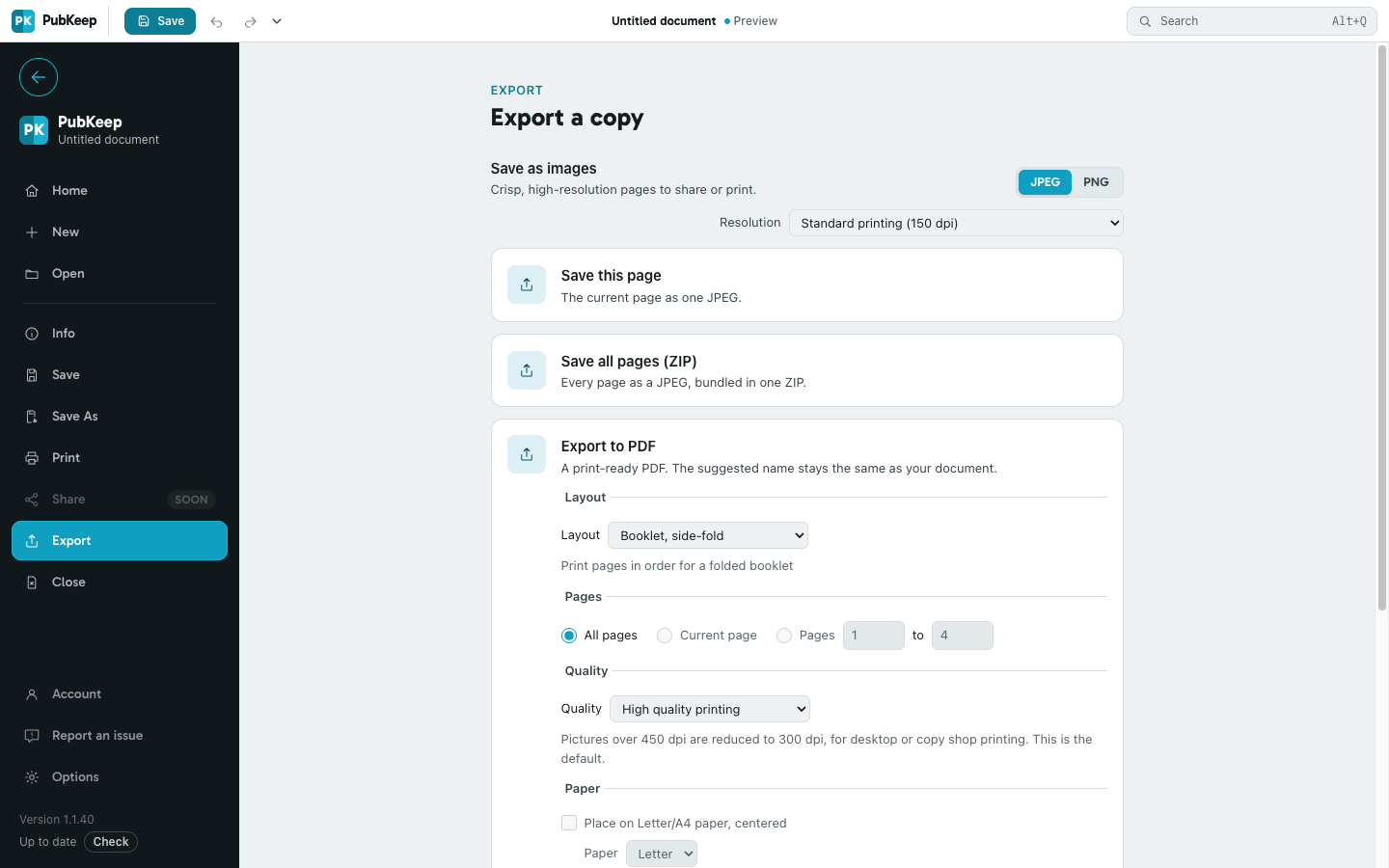
Section titled “Export a PDF”- Click File > Export.
- Find Export to PDF.
- Under Pages, choose All pages, Current page, or Pages and type the first and last page.
- Under Quality, choose what the PDF is for:
- Minimum size for a small file to view on screen.
- Standard for email and the web.
- High quality printing for your own printer or a copy shop. This is the default.
- Commercial press for a professional print shop.
- Click Export.
In the desktop app, Open file after publishing opens the PDF in your PDF viewer once it’s saved. Uncheck it if you don’t want that.
You can also click File > Save As and choose PDF (*.pdf) under Save as type. Either way, your publication stays a .pubk file and the PDF is a separate copy.
PDFs follow your print settings
Section titled “PDFs follow your print settings”The PDF matches the sheets File > Print would print. A booklet exports as folded sheets in printing order, and labels export as full sheets. If you want one page per PDF page instead, set the Layout under Export to PDF to One page per sheet.
Add crop marks for a print shop
Section titled “Add crop marks for a print shop”Under Printer’s marks, check Crop marks. Check Allow bleeds if pictures or colors run to the edge of the page, and Bleed marks to show how far they run.
Crop marks need room around the page. If PubKeep says there’s no room for marks, check Place on Letter/A4 paper, centered under Paper.
Save pages as pictures
Section titled “Save pages as pictures”- Click File > Export.
- Under Save as images, choose JPEG or PNG and a Resolution.
- Click Save this page for the current page, or Save all pages (ZIP) for every page in one ZIP file.
To save just part of a page, select the objects you want, right-click them, and choose Save as Picture….
If it still looks wrong
Section titled “If it still looks wrong”My PDF is too big to email
Section titled “My PDF is too big to email”Export again with Quality set to Standard or Minimum size.
The PDF has two pages on each sheet
Section titled “The PDF has two pages on each sheet”Your print settings use a booklet or several pages per sheet. Set Layout to One page per sheet under Export to PDF.