
How do I print a booklet or church bulletin?
PubKeep prints a booklet with two pages on each side of the sheet, arranged so they read in order once you fold the stack in half. Keep your pages in normal reading order in the publication. PubKeep handles the folding order.
Print your booklet
Section titled “Print your booklet”- Click File > Print, or press Ctrl+P (Cmd+P on a Mac).
- Under Settings, click the layout card (it usually says One page per sheet) and choose Booklet, side-fold.
- Click the paper card and choose the sheet you’ll fold. Two of your pages must fit side by side on it:
- 5.5 x 8.5 in pages fold from Letter paper.
- 7 x 8.5 in pages fold from Legal paper.
- 8.5 x 11 in pages fold from Tabloid (11 x 17 in) paper.
- Click the sides card and choose Print on Both Sides, the one that says Flip sheets on short edge. If your printer can’t print both sides, see two-sided printing.
- Check the preview on the right, then click Print.
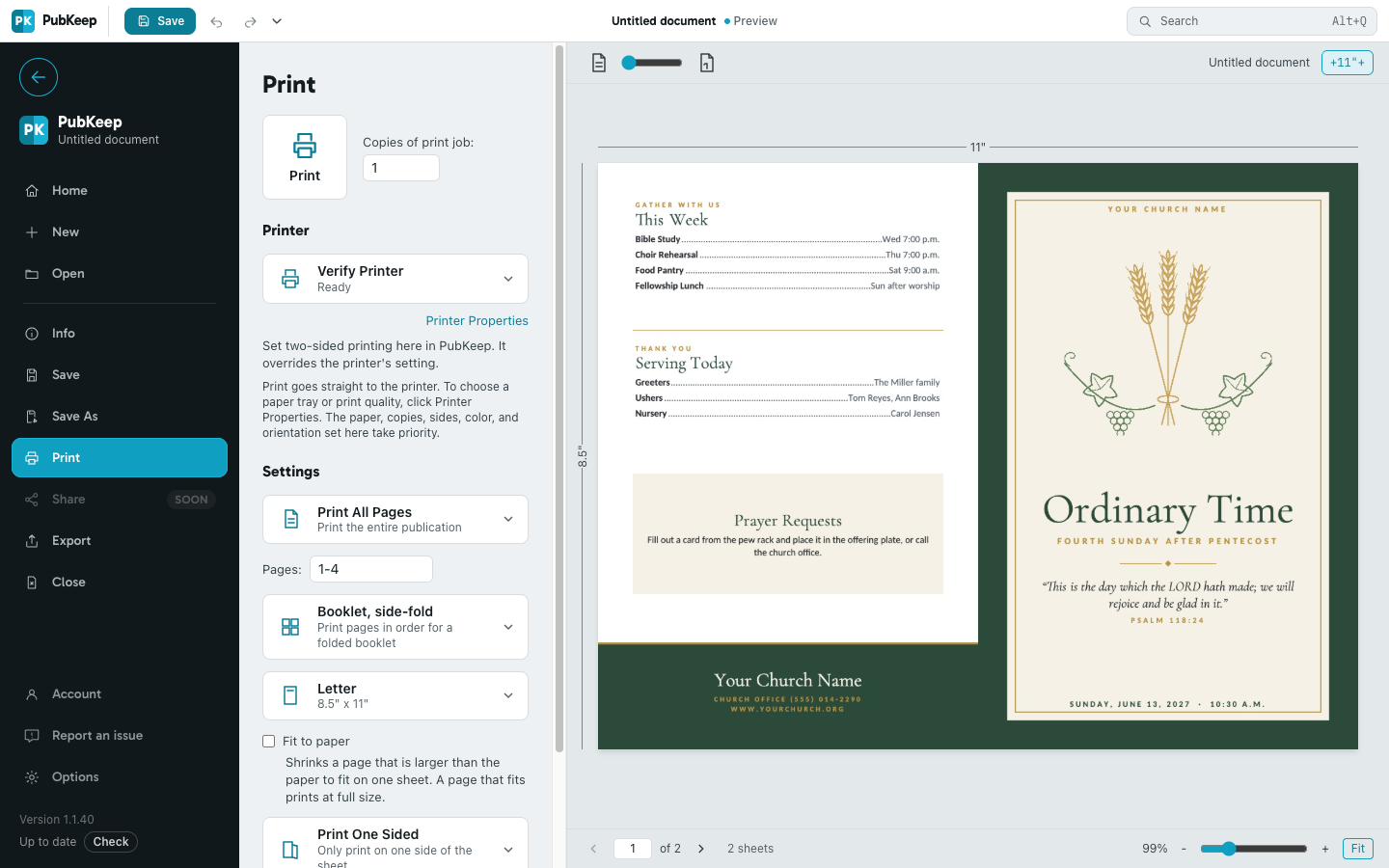
What order the pages print in
Section titled “What order the pages print in”For a 4-page bulletin, page 4 and page 1 (the back and front covers) print on one side of the sheet, and pages 2 and 3 print on the other. An 8-page booklet prints 8 and 1, then 2 and 7, then 6 and 3, then 4 and 5. Fold the stack in half and page 1 is the cover.
Your page count should be a multiple of 4 (4, 8, 12 and so on). If it isn’t, add blank pages where you want them. See How do I add, copy or delete a page?
Start a new bulletin as a booklet
Section titled “Start a new bulletin as a booklet”On the File tab, click New, then More blank page sizes. Open Booklets and choose Booklet, Letter (half-fold). You get four 5.5 x 8.5 in pages that print on Letter paper.
To turn a publication you already have into a booklet, click an empty spot on the page so nothing is selected. In the Properties pane, under Setup, set Layout to Booklet and click Switch. Then check that your text still fits.
If it still looks wrong
Section titled “If it still looks wrong”Booklet, side-fold isn’t in the list
Section titled “Booklet, side-fold isn’t in the list”Your paper is too small to hold two pages side by side. Choose a bigger paper, like Tabloid for 8.5 x 11 in pages.
The back side prints upside down
Section titled “The back side prints upside down”Choose Print on Both Sides with Flip sheets on short edge. In the Windows desktop app, the choice you make in PubKeep overrides the printer’s own two-sided setting.
A side comes out blank or the pages don’t line up
Section titled “A side comes out blank or the pages don’t line up”Your page count isn’t a multiple of 4, or you printed only some pages. A page range prints as its own small booklet, so print all pages for the finished bulletin.
More tips for church offices are on our Publisher for churches page.